Bill planner for iPhone
Know what's left after every paycheck.
Add your paychecks and bills once. Organized Bills lines each bill up with the paycheck that pays it, so you can see what's left in checking before payday arrives.
- RentDue Sat, Nov 1$950.00
- ElectricDue Mon, Nov 3$112.48
- Car insuranceDue Wed, Nov 5$138.00
- PhoneDue Fri, Nov 7$85.00
- InternetDue Mon, Nov 10$64.99
- StreamingDue Wed, Nov 12$13.49
Inside the app
Five screens that answer one question: is there enough until the next paycheck?
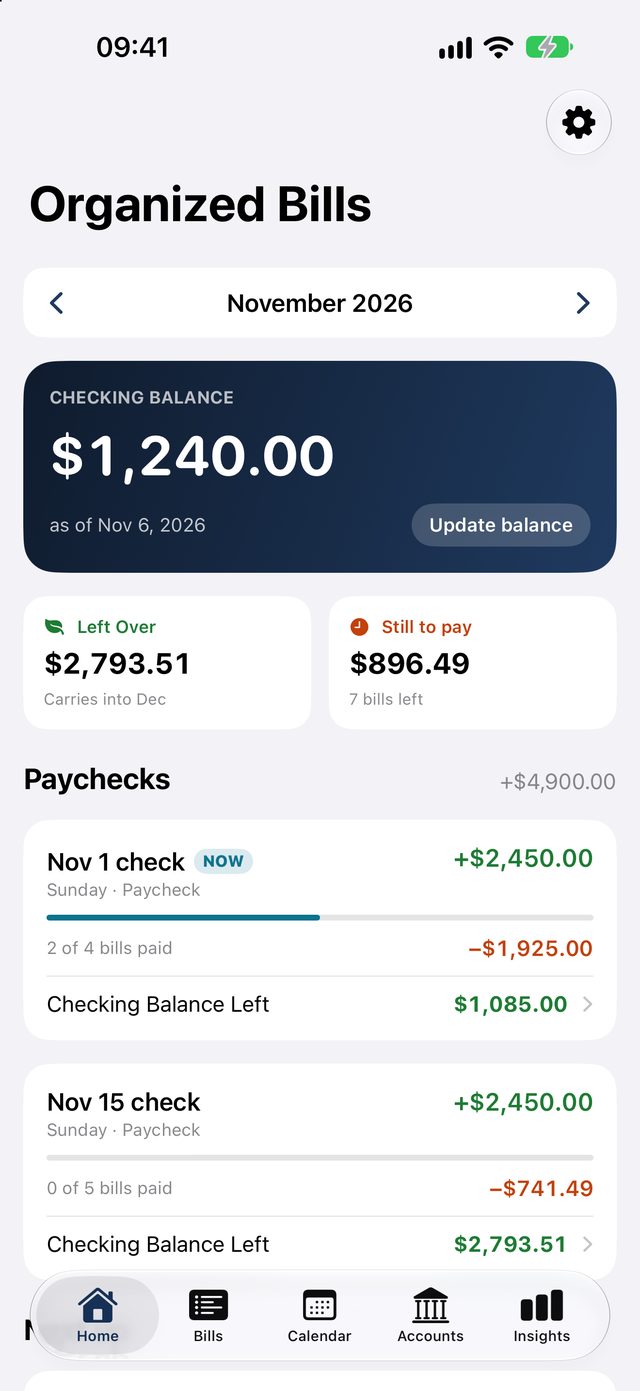
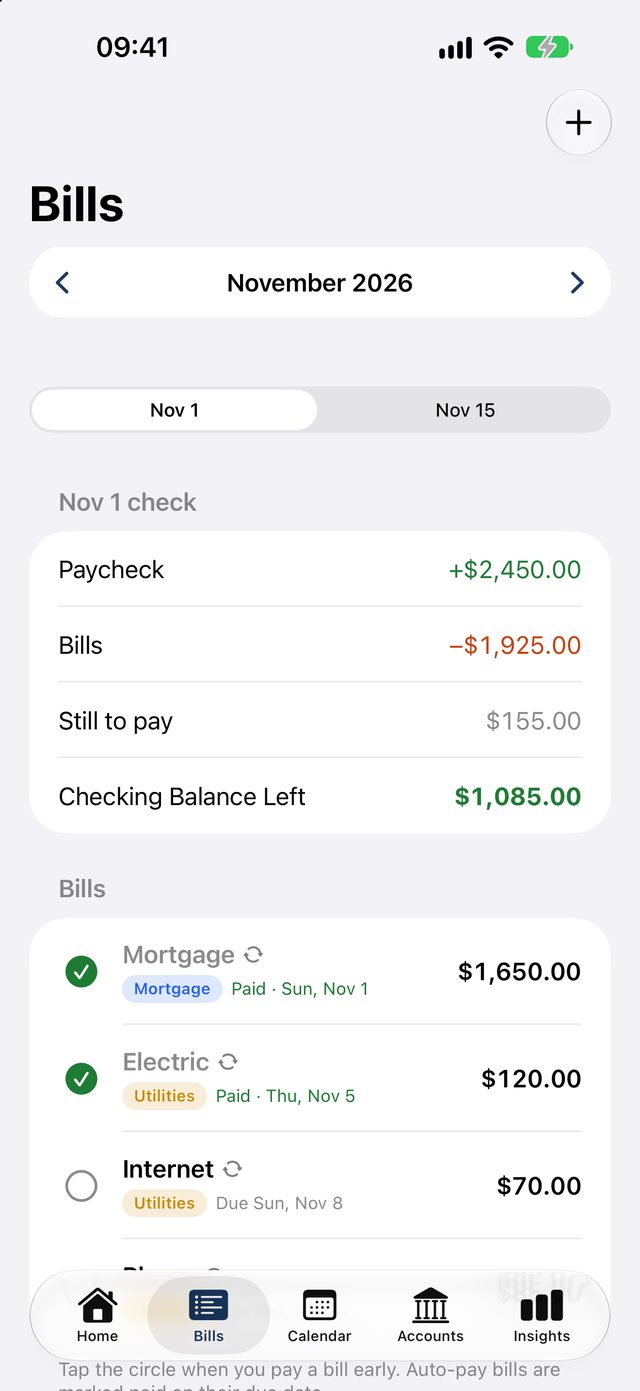
Every paycheck, matched to its bills.
Your checking balance updates as you mark bills paid, and paydays add the next check automatically.
- See what's left after this check's bills
- Auto-pay bills check off on their due date
- Left Over shows the end of the month
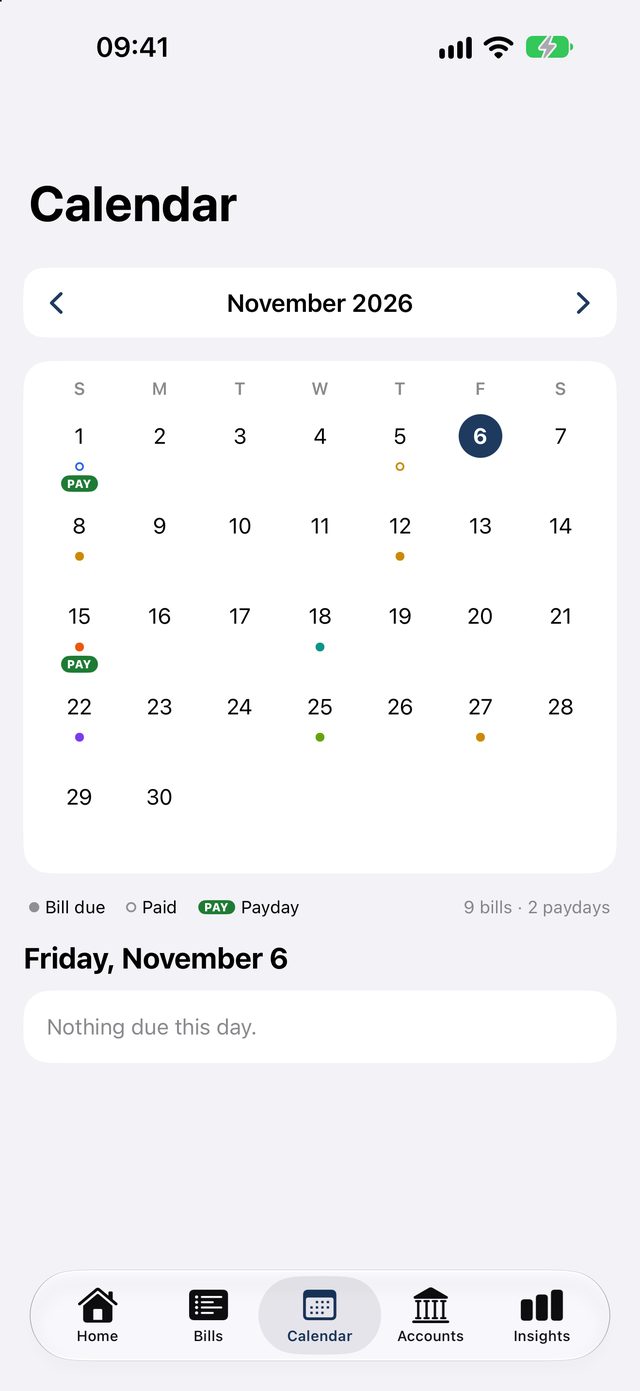
Due dates you can see coming.
A calendar shows every due date and payday together, and reminders arrive a few days before a bill is due.
- Monthly, quarterly, yearly or one-time bills
- Reminders three days ahead, or pick your own
- Due dates show the weekday, like "Due Monday"
Where the money goes.
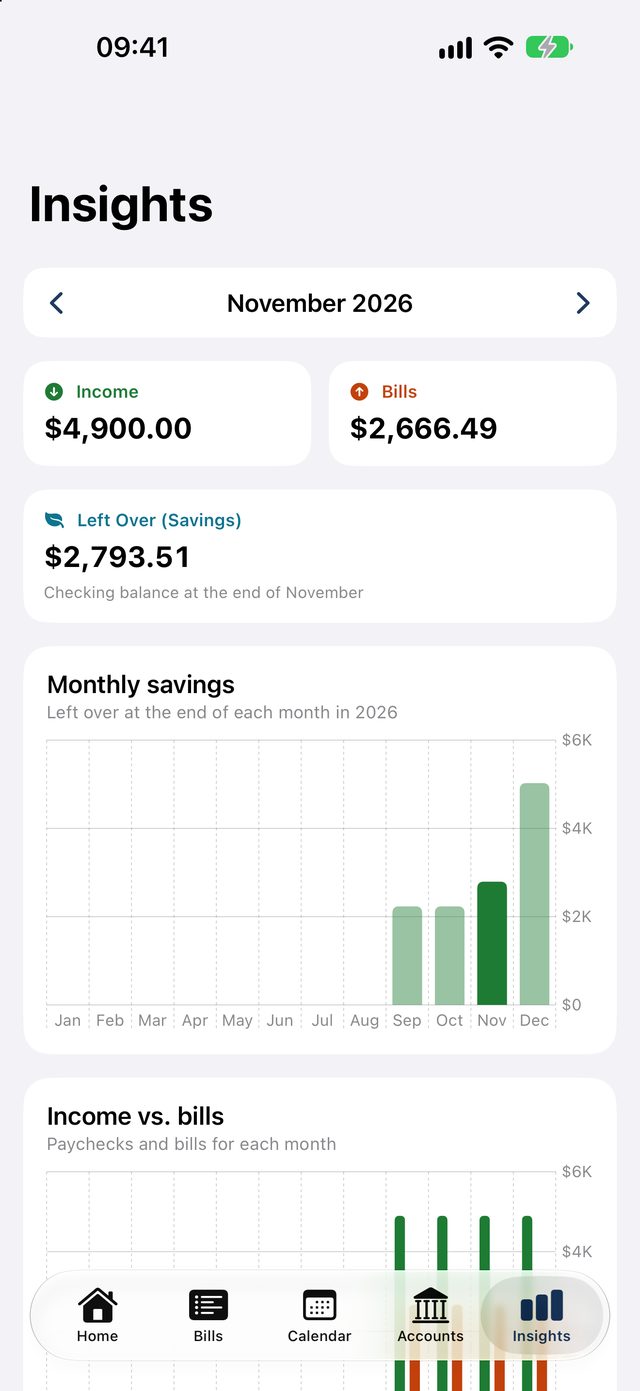
Charts show income against bills and how your savings are growing, month by month.
- Bills by tag, in your own colors
- Monthly savings chart
- Export everything to a spreadsheet with Pro
Pricing
Free to start. Pay once for Pro.
No subscription, no ads.
Free
For one paycheck
- 1 paycheck
- Up to 10 bills
- Calendar and reminders
- Checking balance tracking
Organized Bills Pro
One-time purchase. Try it free for 14 days.
- Unlimited bills and paychecks
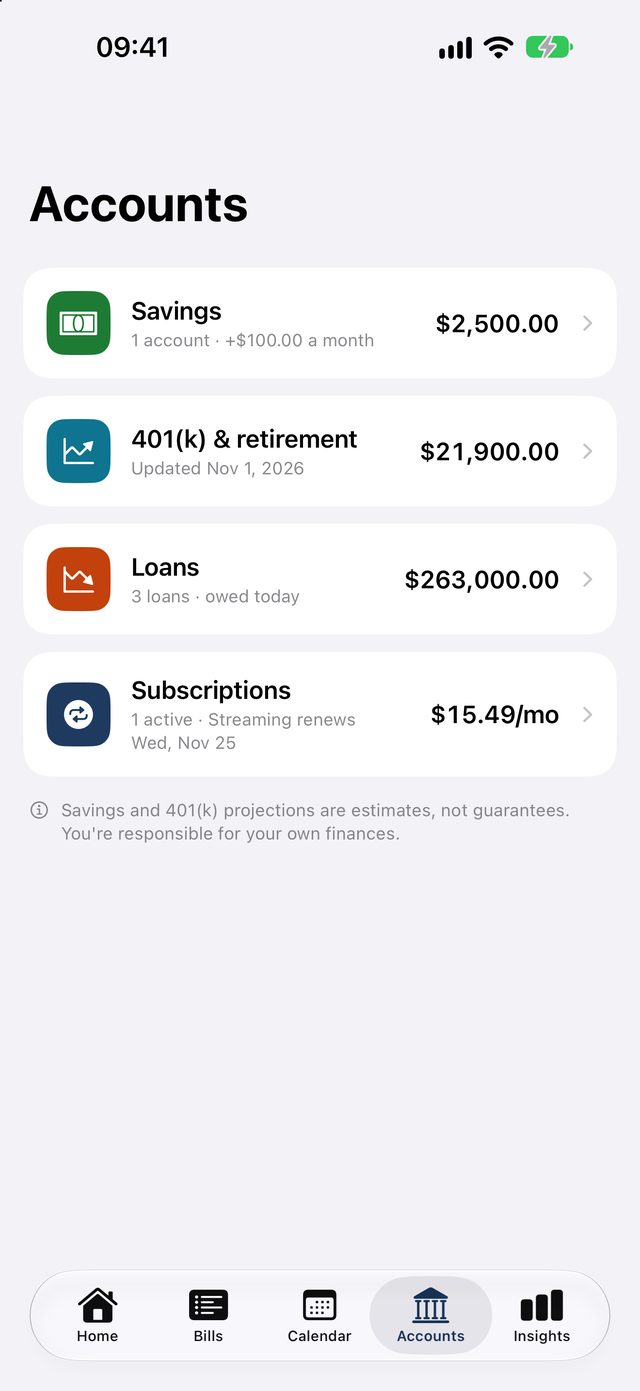
- Loans with a debt-free date
- Savings planner and 401(k) tracking
- Subscriptions with renewal dates
- Home Screen and Lock Screen widgets
- Spreadsheet export
The free trial never charges you and does not renew. Pro is not a subscription and works for your Family Sharing group.
Privacy
Your money stays on your phone.
No account, no bank login, no ads and no tracking. Everything you enter is stored on your iPhone and nowhere else. Read the privacy policy.
Questions
Good to know
Does it connect to my bank?
No. You enter your balance, bills and paychecks yourself, and nothing leaves your iPhone. Tap Update balance on the Home screen any time to match your bank.
Does Organized Bills pay my bills?
No. It's a planner. It doesn't move money, and you keep paying your bills the way you do today.
What happens when the free trial ends?
Pro features lock again and all of your bills stay. You can keep using the free version or buy Pro once.
More answers on the support page, or email organizedbills@proton.me.
Payday, planned.
Organized Bills is coming soon to the App Store for iPhone.
Coming soon to theApp StoreOrganized Bills is a planning tool. It doesn't pay bills, move money or give financial advice.